The Design Paradigm
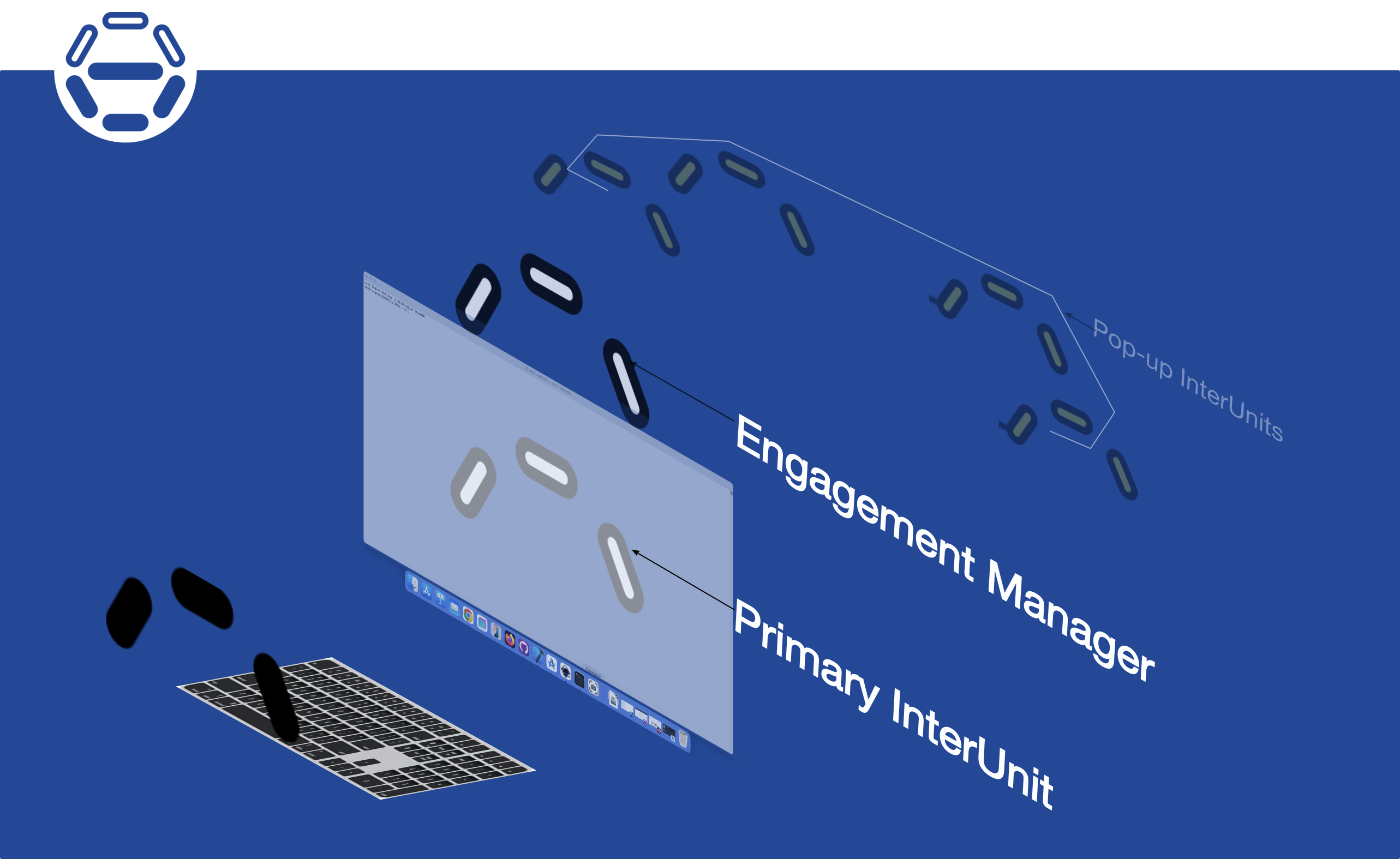
A user-interface is a sequence of time-sliced interface-units called InterUnits.
Each InterUnit presents an interface behaviour to service a specific user-goal,
and exists only during it's time-slice.
During its existence, it has full control over the screen and all user-input peripherals.
Different InterUnits run the UI at different times, depending on what the user wants to do at that time.
A special InterUnit called the EngagementManager interfaces with the underlying device-UI framework,
and orchestrates the loading and unloading of InterUnits during the course of an app's user-engagement.
It also maintains some memory of the user's interaction with InterUnits from the point it is loaded.
Each InterUnit can be independently optimised for ergonomic-efficiency,
and on a per-device basis.
i.e. The same InterUnit (which is associated with a specific user-function) can be implemented differently on different devices.
An InterUnit's source-code is self-contained and can be modified independent of the rest of the UI.
A developer's view of InterUnit-UI
- SInterUnit, IUProtocol
- Formatted character processing utilities
- Hex-grid based graphics and spatial-layout utilities
- Source-editor IUProtocol
- Engagement-manager IUProtocol
Every InterUnit is implemented as an instance of a C++ struct called SInterUnit.
This struct is initialised with function-pointers for its base functionality
(such as a drawing to the screen and responding to user-input events).
SinterUnit contains an extension pointer into which an InterUnit-specific protocol is loaded.
A specific InterUnit loads function-specific function-pointers into an instance of SInterUnit,
and defines and implements an InterUnit-Protocol (IUProtocol).
An IUProtocol is defined as a set of UI-gestures that express a user-intent
and a corresponding intent-handler for that gesture.
The SDK provides implemented IUProtocols for:
1) a source-editor for editing the source-code of an InterUnit and
2) an engagement-manager that loads and unloads InterUnits,
interfaces with a device-specific UI-framework,
and provides an entry-point for a device specific app.
Language processing utilities are provided.
They serve as an example for integrating data processing into an InterUnit.
A C++ source-code parsing, representation and visualisation system is provided.
It includes structures to represent C++ source-code,
parsers to parse a C++ codebase,
navigation utilities to search within a codebase structure
and editing utilities.
This system can serve as a basis for any language or a custom data file-format.
A screen-layout utility is provided that represents the screen as a controllable hex-lattice.
For graphics, a hex-grid representation system is provided that implements a hex-grid,
transformations on hex-coordinates and between cartesian and hexagonal coordinate systems
(in both 2D and 3D),
and other utilities useful in graphics applications.
Easy to optimize the UI for use-ability
An InterUnit is associated with a specific user-function and differs from other InterUnits based on this association.
Hence, each InterUnit can be optimised for use-ability independently and on a per-device basis.
This makes the development of any InterUnit a lot simpler since the initial code can be refined over time.
Guidelines for improving app-ergonomics
InterUnit-UI suggests some guidelines for improving the ergonomic-efficiency of PC-apps.
- Doing away with the Menubar at the top, and the taskbar or status bar at the bottom of the screen, to reduce visual screen-clutter.
- Using a visual layout technique generally focused around the center of the screen for the presentation of information to the user.
- Minimising the need to switch between mouse and keyboard operation in the course of any user-input sequence.
- Eliminating use of the mouse for fine-grained screen-space selection and reducing the usage of mouse-drag operations.
- Eliminating the use of Windows.
Operations such as resizing and aligning of Windows, and, in general, (multiple) Window-layout, should not be needed in the usage of the UI.
- Always providing a navigational reference.
On a keyboard-input based device, the ESCAPE key should always be used
to return to the previous operational context.
On a touchscreen based device, a visual icon should always be present,
away from the center of the screen to provide a way of returning to the previous operational context.
Smartphone-based showcase platform (planned)
The primary functions of any graphical user interface are
selection, timed-execution, text-input and content description.
Content description using a GUI is a good way to validate its efficiency.
We plan to showcase InterUnit-UI by demonstrating the Specifier app
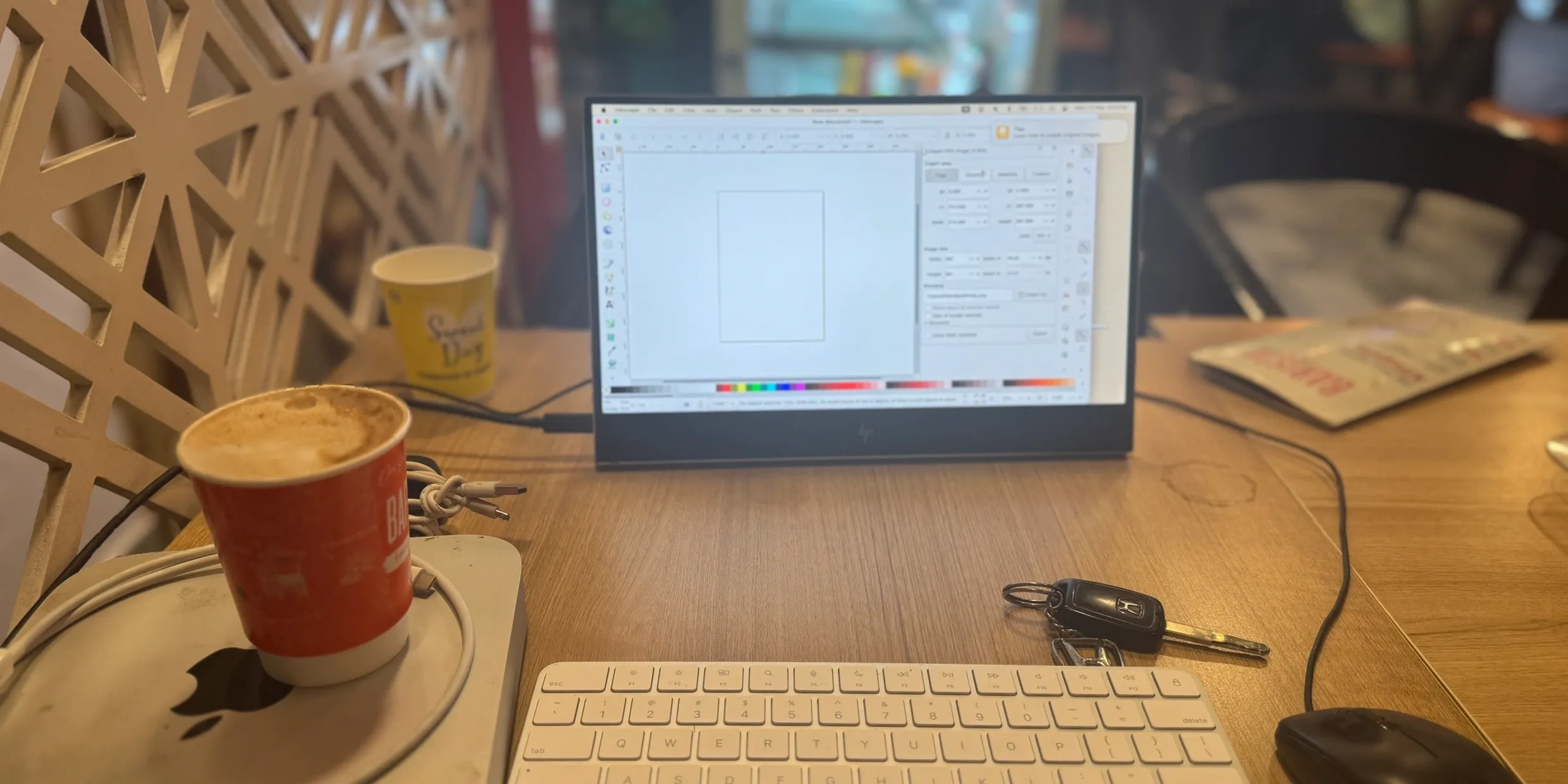
on a specific smartphone-based portable-desktop platform:
The platform uses:
an iPhone 15 Pro or Samsung Galaxy S25 or Motorola Signature smartphone,
an HP E14 G4 FHD screen
an Apple keyboard with Numeric Keypad,
and a specially designed cradle.
 The primary function of the Specifier is:
a (visual) description of 3D objects, or processes relating to 3D objects.
Hence it's a good way to validate the usage-efficiency of this planned platform.
The A17 Pro SOC (iPhone 15 Pro)
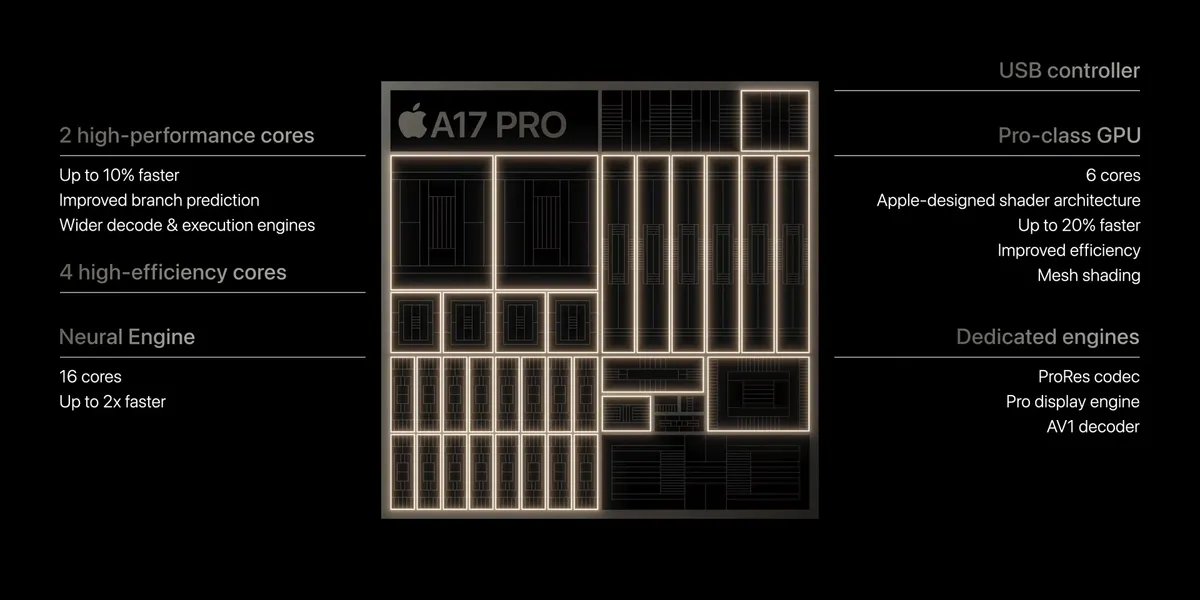 Apple's A17 pro SOC contains a 3.78 GHz ARM ISA based microprocessor,
a 6-core graphics engine and a 6.4GHz DDR4 memory interface.
It's a well designed low power SOC that can easily be used in a desktop design environment.
It can drive a 4k screen at 30Hz
and has enough processing power for graphics intensive applications
(that have high computational requirements).
The Snapdragon 8 SOC (Galaxy S25, Motorola Signature)
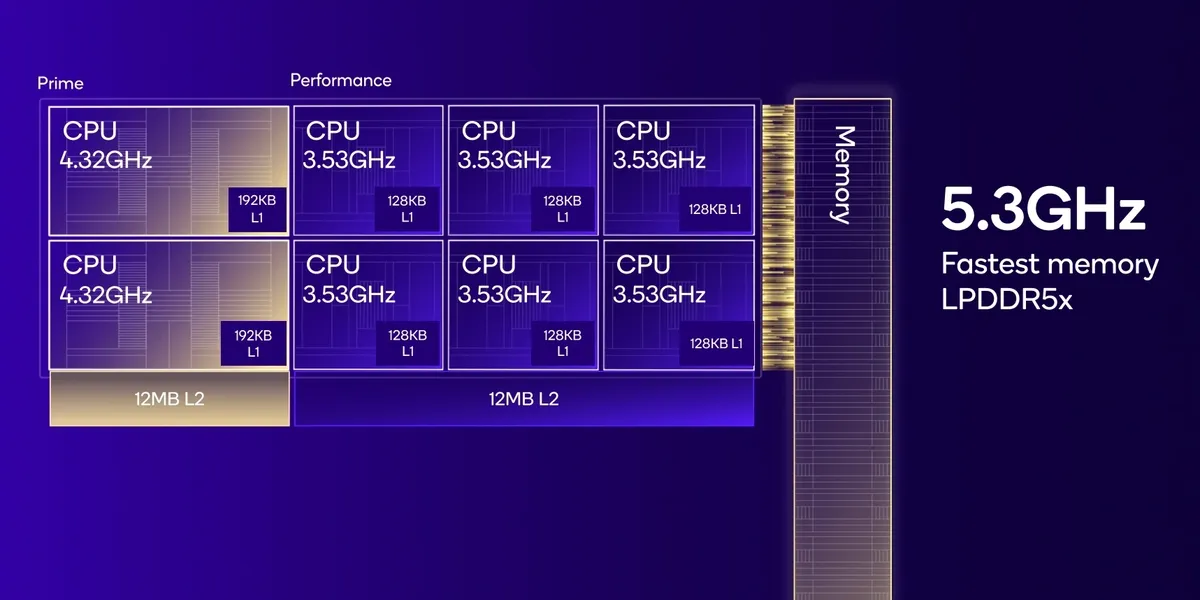 Qualcomms's SnapDragon 8 SOC
The HP E14 G4 screen
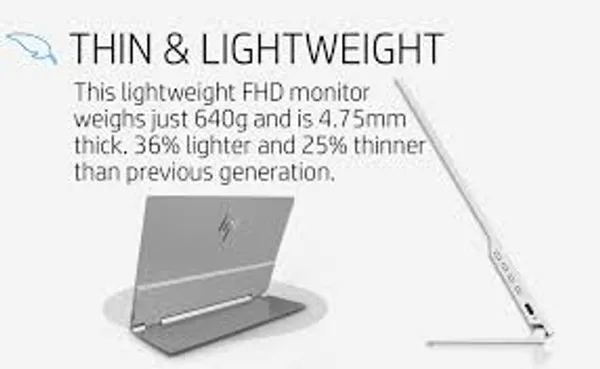 This is a 14" FHD portable screen.
It has a small built-in battery and a well designed hinge that folds open to a 78 deg screen-angle.
2 USB-C input ports for charging or display data.
We use a small Xiaomi 4900 mAh Powerbank to keep the screen charged
and an AirPlay receiver dongle to connect to it wirelessly.
The Apple Magic Keyboard with Numeric Keypad
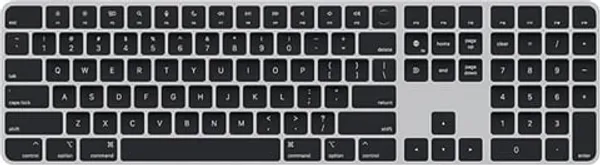 This is a lightweight, compact form-factor keyboard.
It connects wirelessly over Bluetooth. USB-C charging port.
It is the same width as : and half the height of : the HP G14 E4 screen.
The numeric keypad adds full size arrow keys
which are used as part of InterUnit-UI design-conventions.
InterUnit-UI Licensing (planned)
Khitchdee Design is applying for copyright and intellectual property protection for InterUnit-UI technology.
Our intellectual property attorneys are Mendelsohn Dunleavy, PC.
We plan to license Ergonomix to developers and the InterUnit-UI SDK to PC OEMs.
Non-commercial Use
Ergonomix will be made available free for non-commercial use.
Individual Developer Licenses
An individual developer may license Ergonomix for $50 / year (TBD)
Team Licences
A small development team (<10 people) may also license Ergonomix for $500 (TBD).
A single team license may be used by all members of a team.
Larger organisations and universities can license Ergonomix at negotiated annual rates.
OEM Licences
OEMs may license the InterUnit-UI SDK to develop UI front-ends for any PC or mobile device (e.g. Raspberry-Pi)
These licenses are negotiated and on a per seat basis.
 .
. .
.